

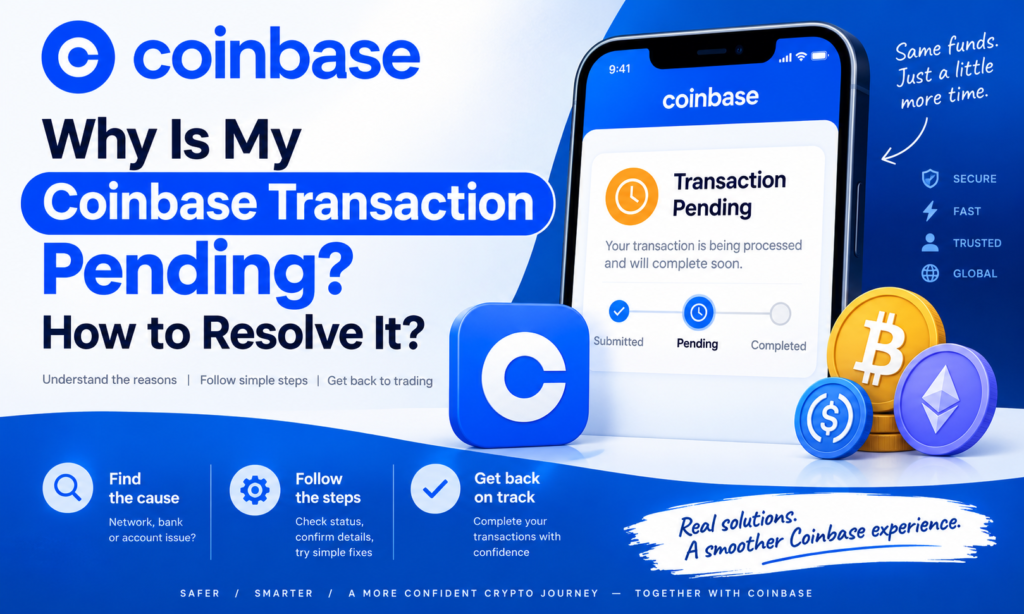
Seeing a Coinbase Transaction Pending status can be worrying, especially when you have already sent crypto or made a payment. In many cases, however, a pending transaction simply means Coinbase or the blockchain network is still waiting for the transfer to receive the confirmations required to complete it.
A Coinbase Pending Transaction can happen because of blockchain congestion, insufficient network confirmations, temporary network communication problems, payment processing delays, or account-related checks. Coinbase says most crypto sends complete within about 30 minutes, although busy networks and other conditions can cause longer delays.
This guide explains why a Coinbase Transaction Delayed status occurs, how to check your transfer, and what to do when a Coinbase payment is pending or fails.
What Does Coinbase Transaction Pending Mean?
When Coinbase displays a transaction as Pending, the transaction has been initiated but has not yet reached the stage where Coinbase considers it complete.
For an on-chain crypto transaction, the blockchain network usually needs to confirm the transaction first. Coinbase requires a certain number of network confirmations before an incoming or outgoing transaction can be treated as final.
Once enough confirmations are received, Coinbase changes the status from Pending to Completed.
A pending status does not necessarily mean your cryptocurrency has been lost or the transaction has failed.
Why Is My Coinbase Transaction Pending?
Several factors can result in a Coinbase Transaction Pending status.
1. The Blockchain Needs More Confirmations
Blockchain transactions are not always finalized immediately.
After a transaction enters a block, additional blocks may need to be added before Coinbase considers the transfer sufficiently confirmed.
The required number varies by cryptocurrency. Coinbase currently lists examples such as two confirmations for Bitcoin and 14 confirmations for Ethereum and ERC-20 assets.
Until those confirmations arrive, you may continue seeing Coinbase Pending Transaction.
2. High Network Traffic
Blockchains have limited space available for transactions in each block.
During periods of heavy activity, more users may be trying to send transactions than the network can process immediately. Coinbase identifies high network volume as one possible reason transactions remain pending longer than expected.
In this situation, waiting for the blockchain to process the transaction may be all that is required.
3. Temporary Network Communication Problems
Coinbase’s systems communicate with blockchain networks to broadcast and monitor transactions.
According to Coinbase, temporary loss of network synchronization can result in a Coinbase Transaction Delayed status. Coinbase says these synchronization-related delays are usually under an hour, although circumstances vary.
4. Insufficient Network Fees
Network fees help blockchain validators or miners process transactions.
Coinbase notes that transactions with insufficient fees can sometimes remain unconfirmed. This is especially relevant when network demand increases and transactions offering higher fees receive priority.
5. You Are Trying to Spend Pending Crypto
Crypto that has not completed its original transaction may not yet be available to spend.
If you attempt another transfer using assets that are still pending, Coinbase says the second transaction will not complete until the original assets receive the required confirmations.
How to Check a Coinbase Pending Transaction
If your transaction has remained pending, start by checking its status inside Coinbase.
Open Coinbase, locate the cryptocurrency involved, and select the individual transaction from your activity or transaction history.
For an on-chain send, Coinbase recommends waiting at least 30 minutes before troubleshooting. You can then select View on block explorer to see the transaction directly on the blockchain.
Look for the number of confirmations.
If confirmations are increasing, the transaction is generally moving through the network normally.
If the transaction remains at zero confirmations for an extended period, Coinbase recommends contacting support.
What If a Coinbase Deposit Is Pending?
Not every Coinbase Transaction Pending issue involves sending cryptocurrency.
Bank deposits and cryptocurrency purchases may also appear pending while the payment method settles.
Coinbase says traditional banking methods such as ACH transfers and wire deposits typically take around one to three business days to settle. Timing can vary by region and payment method, and banks may conduct their own reviews.
A deposit can also be delayed if your bank requires you to approve the transaction separately.
Therefore, a Coinbase Payment Pending notification involving a bank transfer should not automatically be treated like a blockchain transaction.
Coinbase Payment Pending vs Coinbase Payment Failed
A Coinbase Payment Pending transaction is still being processed.
A Coinbase Payment Failed or canceled transaction, by contrast, generally means the payment did not successfully complete.
Coinbase states that orders can be canceled because of potential security concerns, insufficient funds at the bank, a transaction timing out, or an account reaching its buy limit.
If a payment fails, check:
- Your available bank balance.
- Your Coinbase transaction limits.
- Whether your payment method is verified.
- Whether your bank blocked the transaction.
- Whether Coinbase requires additional identity verification.
If Coinbase debits you for an order that is later canceled, Coinbase says the funds are generally returned within five to seven business days.
Can You Cancel a Coinbase Pending Transaction?
It depends on the type of transaction.
Most blockchain transactions cannot simply be canceled once they have been confirmed and broadcast.
However, Coinbase provides a special cancellation option for certain payments sent to a recipient’s email address or phone number.
If such a transaction remains pending because the recipient has not accepted it, you may be able to open Coinbase.com, select the pending transaction, and choose Cancel payment. Coinbase says unaccepted payments are automatically returned after 30 days.
This does not mean every pending crypto transfer can be canceled.
What to Do When a Coinbase Transaction Is Delayed
If you have a Coinbase Transaction Delayed, avoid repeatedly sending the same transaction.
Instead, open the transaction and check its status.
For crypto transfers, review the block explorer and network confirmations. For incoming crypto, verify that the sender used both the correct wallet address and a network supported by Coinbase.
Coinbase warns that assets sent using an unsupported network may not be credited normally and could potentially be lost.
You should also check Coinbase account alerts for verification requests or other actions that may be required.
Temporary Coinbase service problems can occasionally affect balances, payment methods, or trading functions as well. Coinbase recommends checking its service status when its app or website is experiencing problems.
How Long Can a Coinbase Transaction Stay Pending?
There is no universal waiting period.
Many normal crypto transactions complete within minutes, while network congestion can increase processing time.
Coinbase recommends waiting at least 30 minutes when a crypto send first appears pending. Temporary synchronization issues are often resolved within an hour, according to Coinbase.
Bank deposits work differently and can require one to three business days or longer depending on the payment method and banking system.
Always judge the delay according to the transaction type rather than expecting every Coinbase transaction to complete within the same period.
FAQs About Coinbase Transaction Pending
1. Why is my Coinbase transaction pending?
Common reasons include insufficient blockchain confirmations, high network traffic, temporary network synchronization problems, low transaction fees, or trying to spend cryptocurrency that is still pending.
2. How long does a Coinbase pending transaction take?
Many crypto transactions complete within about 30 minutes, but network conditions can cause longer delays. Bank deposits may require several business days.
3. How do I check a Coinbase pending transaction?
Open the transaction in Coinbase and review its status. For an on-chain crypto transfer, use the View on block explorer option to check confirmations.
4. Can I cancel a Coinbase pending transaction?
Normal blockchain transactions generally cannot be canceled after processing begins. Certain unaccepted payments sent to an email address or phone number may provide a Cancel payment option while they remain pending.
5. Why did my Coinbase payment fail?
Possible reasons include insufficient bank funds, security concerns, reaching a buy limit, or allowing the confirmation process to time out. Check your payment method and Coinbase account for additional instructions.
6. What should I do if my Coinbase transaction has zero confirmations?
Wait at least 30 minutes, check the transaction through the block explorer, and review the number of confirmations. Coinbase advises contacting support if the confirmation count remains stuck at zero.
Conclusion
A Coinbase Transaction Pending message usually means a transaction is still waiting for blockchain confirmation or payment processing rather than automatically indicating that something has gone wrong.
A Coinbase Pending Transaction may be caused by network congestion, missing confirmations, temporary network communication problems, payment settlement, or account requirements.
If you encounter a Coinbase Transaction Delayed status, check the transaction history and blockchain explorer before taking further action. If you see Coinbase Payment Pending, remember that bank transfers can follow a much slower timetable than crypto transfers.
For a Coinbase Payment Failed, review your bank balance, payment method, Coinbase limits, verification requirements, and any notifications shown in your account.