QuickBooks Online New Features : AI, Automation, Modern Interface & Major Updates
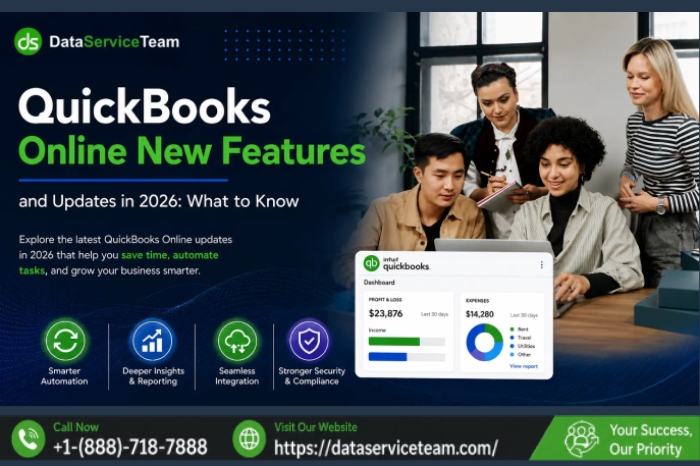
QuickBooks Online is going through one of its biggest product changes in 2026. The latest improvements focus on AI-assisted bookkeeping, automated workflows, modern reporting, smarter bank feeds, collaboration, inventory management, and a redesigned user experience.
For businesses and accounting professionals, the important question isn’t simply “What is new?” It is which features can actually save time, improve accuracy, and change the way financial work is completed?
This guide breaks down the major QuickBooks Online updates, including the modern interface, AI-powered bank feeds, Books Upkeep, Intuit Intelligence Chat, automated invoicing, reporting improvements, reconciliation changes, industry-specific tools, and other workflow enhancements.
Note: Feature availability can vary by QuickBooks Online subscription, region, rollout stage, and account configuration. Some capabilities described below are presented as beta or staged features.
QuickBooks Online New Features Updates at a Glance
| New Features Update | What It Does | Potential Benefit |
| Modern interface | Refreshes the core QuickBooks experience | Easier navigation |
| AI-powered bank feeds | Improves transaction categorization | Less manual data entry |
| Books Upkeep | Automates high-confidence bookkeeping tasks | More continuous bookkeeping |
| Intuit Intelligence Chat | Allows natural-language interaction with financial data | Faster analysis |
| Automated invoicing | Helps draft and follow up on invoices | Better accounts receivable workflow |
| Modern reports | Adds flexible reporting and analytics | Faster financial analysis |
| KPI scorecards | Tracks key business metrics | Easier performance monitoring |
| Spreadsheet sync | Connects live spreadsheet workflows with accounting data | More flexible reporting |
| Enhanced inventory | Adds deeper inventory capabilities | Better stock management |
| Reconciliation improvements | Allows more actions directly within reconciliation | Faster account reconciliation |
| Auto-save | Protects work while entering transactions | Reduced lost work |
| Multiple contacts | Stores multiple customer/vendor email addresses | Easier communication |
Note:- QuickBooks Tool Hub 1.6.0.8 provides a convenient way to diagnose and resolve common Desktop installation, network, company-file, and program issues.
1. The New QuickBooks Online Modern Interface
One of the most noticeable 2026 changes is the redesigned QuickBooks Online experience.
The updated interface focuses on a cleaner layout, improved navigation, customizable views, and closer integration with newer AI-powered capabilities.
What changed?
Users can benefit from:
- A cleaner dashboard
- Resizable and reorderable dashboard widgets
- More flexible transaction-list views
- Customizable columns
- Improved page performance
- Better mobile experiences
- More integrated accounting workflows
The goal isn’t simply to make QuickBooks look different. The broader objective is to reduce the number of steps required to complete routine accounting tasks.
Why businesses should care
A modern interface can have a surprisingly large effect on productivity.
For example, an accountant reviewing hundreds of bank transactions may benefit from being able to customize the transaction list to display the columns that matter most to their workflow.
Instead of repeatedly opening individual transactions, more information can be reviewed directly from the list.
2. AI-Powered Bank Feeds
Bank-feed automation is becoming one of the most important areas of QuickBooks Online’s AI development.
The system can use previous categorization behavior to improve suggestions for similar transactions.
New workflow improvements include:
- Faster categorization suggestions
- Inline editing
- Ready to post transaction grouping
- Background processing
- Missing-payee notifications
- Drag-and-drop attachments
How this changes bookkeeping
Imagine a business receives dozens of recurring software charges every month.
Previously, an accountant might repeatedly review and categorize those transactions manually.
With improved categorization intelligence, QuickBooks can recognize patterns and provide increasingly relevant suggestions.
However, AI suggestions should still be reviewed before posting, particularly for unusual transactions, new vendors, large-dollar purchases, transfers, and transactions involving multiple accounts.
Automation is most useful when combined with appropriate human review.
3. Smarter Bank Rules and Categorization
QuickBooks Online is also improving the way transaction rules work.
One useful change is improved visibility when multiple rules could potentially apply to the same transaction.
This can help prevent situations where users unintentionally create overlapping rules that produce unexpected categorization results.
Other improvements include:
- Faster categorization suggestions
- Better handling of transfers
- Improved treatment of credit-card payments
- More transparent rule conflicts
Best practice
Don’t create dozens of overlapping rules simply because automation is available.
Instead:
- Start with high-confidence recurring transactions.
- Use specific conditions.
- Review the results regularly.
- Remove obsolete rules.
- Check unusual transactions manually.
This creates a balance between automation and accounting control.
4. Books Upkeep: Continuous AI-Assisted Bookkeeping
Books Upkeep is one of the more significant developments in the 2026 QuickBooks Online ecosystem.
Rather than waiting until month-end to clean up transactions, the service is designed to continuously keep books current throughout the month.
How Books Upkeep works
The system can automatically address transactions that meet defined high-confidence criteria.
Transactions requiring human judgment can instead be surfaced as exceptions.
This creates a workflow that looks more like:
Transactions → AI processing → High-confidence items resolved → Exceptions reviewed by a human
Why this matters
- Traditional bookkeeping often involves a large cleanup workload near month-end.
- Continuous bookkeeping can potentially distribute that workload throughout the month.
- That can make the eventual month-end close more manageable.
Important consideration
Automation doesn’t eliminate accounting judgment.
Transactions involving unusual expenses, complicated allocations, unusual revenue recognition, related-party activity, or other judgment-heavy situations may still require professional review.
5. Intuit Intelligence Chat
Another major 2026 development is conversational access to business information through Intuit Intelligence Chat.
Instead of navigating through multiple reports, users can ask questions using natural language.
For example:
“What is driving the increase in operating expenses this quarter?”
The system can help surface relevant business information and insights.
Potential uses include:
- Asking questions about business performance
- Exploring financial trends
- Comparing scenarios
- Generating commentary
- Creating workflow automations
- Generating reports
- Sending reminders
- Summarizing financial information
This is particularly useful for business owners who understand their business but don’t necessarily know which accounting report they need to open.
6. AI-Powered Invoicing Automation
Invoicing is another area receiving significant automation improvements.
For eligible subscription levels, QuickBooks Online can help draft invoices based on supporting documents such as:
- Statements of work
- Sales orders
- Project documents
- Spreadsheets
- Images
Users can also interact with invoicing workflows through conversational AI capabilities where available.
Why automated invoicing matters
Late invoicing can create unnecessary cash-flow pressure.
A more automated workflow can help businesses:
- Create invoices faster
- Reduce repetitive entry
- Improve follow-up
- Maintain more consistent billing workflows
But invoices should still be reviewed before being sent, particularly when the underlying project documentation contains unusual pricing, discounts, quantities, or contract terms.
7. Automated Payment Reminders
Accounts receivable automation isn’t only about creating invoices.
Payment reminders can also be incorporated into a more automated workflow.
This can help businesses spend less time manually tracking every outstanding invoice.
A practical workflow
Invoice created → Invoice reviewed → Invoice delivered → Payment reminder scheduled → Customer pays → Transaction reconciled
Automation can reduce repetitive administrative work while allowing the business owner or accountant to concentrate on exceptions.
8. Intuit Intelligence for Business Analysis
AI becomes considerably more useful when it moves beyond data entry and helps users understand their business.
With conversational analysis, users can ask questions about:
- Revenue changes
- Expense trends
- Profitability
- Cash flow
- Variances
- Business scenarios
- Key performance indicators
For example:
“Why did operating expenses increase this quarter?”
is a more natural question for a business owner than:
“Which report should I run to investigate quarterly operating-expense variance?”
That’s one of the major advantages of conversational accounting tools.
9. Modern Reporting in QuickBooks Online
Reporting is also receiving a major overhaul.
The modern reporting experience is designed to provide more flexibility around financial analysis, management reporting, and business performance.
Improvements include:
- Management reporting
- Industry-specific reporting
- Self-service analytics
- AI-assisted forecasting
- Custom management reports
- More flexible KPI analysis
For larger organizations, these capabilities can reduce the need to manually combine information from several reports.
10. Redesigned KPI Scorecards
Businesses need more than revenue numbers to understand performance.
Updated KPI scorecards can help monitor metrics such as:
- Revenue
- Margin
- Cash
- Class-based performance
- Other business indicators
Drill-down functionality can make it easier to move from a high-level KPI to the underlying financial information.
Example
A business owner sees that margin declined.
Instead of stopping at the KPI, they can investigate the underlying transactions and determine whether the change resulted from:
- Higher costs
- Lower selling prices
- Product mix
- Increased operating expenses
- Specific classes or departments
11. Spreadsheet Integration and Two-Way Workflows
Spreadsheet users haven’t been left behind.
Two-way spreadsheet capabilities can allow businesses to work with accounting information in familiar spreadsheet environments while maintaining a connection with QuickBooks Online data.
Potential workflows include:
- Pulling financial reports into spreadsheets
- Working with formulas
- Editing supported information
- Sending supported changes back into QuickBooks Online
- Building customized analysis
This can be particularly valuable for finance teams that rely heavily on Excel or Google Sheets for management reporting.
12. Classic Reports and the Modern Reporting Transition
QuickBooks Online is moving toward its modern reporting experience.
The source material indicates that Classic reports were scheduled to be retired after May 22, 2026, with saved custom reports expected to carry over.
For businesses that depend on customized reports, this transition deserves attention.
Recommended preparation
Before relying entirely on the new reporting experience:
- Identify your most important reports.
- Review saved custom reports.
- Confirm that critical information appears correctly.
- Recreate workflows where necessary.
- Train accounting staff on the modern report interface.
13. Construction Accounting Improvements
Construction businesses can benefit from more specialized financial capabilities.
QuickBooks Online Advanced includes capabilities aimed at project-based businesses, including:
- Project profitability tracking
- Structured budgets
- Progress billing
- Change-order management
- WIP over/underbilling reporting
- AI-assisted estimating capabilities
Why this matters
Construction profitability can change quickly when labor, material, or project costs move unexpectedly.
More timely project information can help management identify margin problems before the project is completed.
14. Manufacturing and Inventory Improvements
Manufacturing and inventory capabilities are also expanding.
The supplied 2026 update information identifies features such as:
- Units of measure
- Multilevel bills of materials
- Moving average cost
- Item receipts
- Enhanced sales-order functionality
Some capabilities are identified as beta, so availability may vary.
Multilevel bills of materials
Businesses producing complex products can use nested assemblies to represent products that contain subassemblies.
This can provide a more structured way to represent manufacturing relationships inside the accounting workflow.
15. Nonprofit Accounting Improvements
Nonprofit organizations can benefit from expanded dimensional reporting.
The Balance Sheet by Dimension capability extends dimensional analysis beyond the income statement to areas such as:
- Assets
- Liabilities
- Net assets
- Programs
- Grants
- Funds
This can give nonprofit finance teams more detailed visibility into their financial position.
16. Bill Pay Improvements for Advanced Users
The 2026 update information also highlights Bill Pay Elite being included with QuickBooks Online Advanced.
The feature set provides an accounts-payable workflow that can help businesses manage vendor payments from a centralized environment.
The supplied information also identifies:
- ACH payment capabilities
- 1099 e-filing functionality
- Centralized accounts-payable workflows
Availability and included functionality can depend on the applicable plan and account.
17. Enhanced Inventory Management
Inventory management continues to become more sophisticated.
Highlighted capabilities include:
Item Receipt
Helps businesses record received inventory more directly.
Moving Average Cost
Provides an inventory valuation approach based on average cost.
Sales Order to Purchase Order Linking
Can help connect customer demand with purchasing workflows.
For inventory-heavy businesses, these improvements can reduce the amount of manual coordination between sales, purchasing, receiving, and accounting.
18. Amazon Seller Connector Improvements
Businesses selling through Amazon can benefit from improved integration capabilities.
The updated connector can help bring information such as:
- Sales
- Fees
- Profit information
- Inventory
into a more centralized accounting workflow.
This can reduce some of the manual reconciliation work associated with marketplace transactions.
19. Reconciliation Is Becoming More Flexible
Bank reconciliation is one of the most important accounting controls, and QuickBooks Online is making the workflow more flexible.
The updated experience includes capabilities such as:
- Undo Reconcile for Primary Admin users
- Editing transactions directly from reconciliation
- Posting transactions
- Undoing exclusions
- Adding transactions without leaving the reconciliation workflow
Why this is useful
Previously, correcting a transaction could require moving between several screens.
More actions inside the reconciliation workflow can make the correction process faster.
20. Built-In Time Tracking
Time tracking is becoming more integrated into the QuickBooks experience.
The supplied information indicates that customers who started a QuickBooks subscription after May 13, 2026 can complete applicable QuickBooks Time onboarding, setup, and team-management activities directly within QuickBooks.
For service businesses, integrated time tracking can help connect:
Employee time → Projects → Billing → Payroll/accounting
21. Auto-Save and Better Data Protection
One of the less flashy but highly practical improvements is automatic saving.
The updated workflow includes auto-save capabilities across areas such as:
- Invoices
- Quotes
- Journal entries
- Time worked
- Transactions
QuickBooks can also prompt users when leaving a page with unsaved changes.
Why this matters
Losing several minutes of data entry because a browser tab was accidentally closed is frustrating.
Auto-save can reduce that risk.
22. Multiple Customer and Vendor Contacts
Businesses often need to communicate with more than one person at the same organization.
The updated contact functionality allows multiple email addresses to be stored within customer or vendor profiles.
When sending invoices or purchase orders, users can select applicable recipients and use:
- To
- CC
- BCC
This is particularly useful for organizations where accounting, purchasing, and management teams all need access to the same financial documents.
23. Collaboration Improvements for Accountants
Accountant-client collaboration is also becoming more integrated.
Accountants can request missing information through secure workflows, with responses and attachments remaining connected to the relevant transaction or request.
The Ask your accountant workflow can also provide a more organized conversation experience.
This can reduce the traditional back-and-forth of:
Email → attachment → follow-up email → clarification → another attachment
and move more of the interaction into a structured accounting workflow.
24. What These 2026 Changes Mean for Small Businesses
For a small business owner, the biggest benefit isn’t necessarily any individual feature.
It’s the combination of automation.
A typical workflow could become:
Bank transaction arrives → AI suggests category → high-confidence transaction is processed → exceptions are reviewed → reports update → KPI changes become visible → business owner asks AI about the change.
That’s a significant shift from traditional bookkeeping workflows.
25. What These Changes Mean for Accountants
Accounting professionals should focus on review and judgment, rather than simply trying to compete with automation.
AI can help with:
- Categorization
- Data processing
- Reporting
- Routine follow-ups
- Exception identification
- Workflow automation
Accountants remain important for:
- Financial judgment
- Tax strategy
- Complex reconciliations
- Internal controls
- Unusual transactions
- Client advisory
- Financial interpretation
The strongest workflow is therefore not AI instead of accountants.
It’s AI + accountant oversight.
26. Are the New AI Features Safe to Use Without Review?
Businesses should not assume that an AI-generated suggestion is automatically correct.
A useful rule is:
Automate repetitive decisions; review important decisions.
High-confidence recurring transactions may be appropriate for automation.
But unusual transactions, large payments, unfamiliar vendors, payroll-related entries, tax-sensitive transactions, and complex accounting adjustments should receive appropriate human review.
27. How to Prepare for QuickBooks Online’s 2026 Changes
If your business hasn’t explored the newer features yet, don’t activate everything simultaneously.
Use a controlled approach.
Step 1: Review your current workflow
Identify the most repetitive accounting tasks.
Step 2: Start with one automation
For example, improve bank-feed categorization.
Step 3: Measure the result
Track:
- Time saved
- Categorization accuracy
- Exceptions
- Reconciliation time
Step 4: Expand gradually
Once one workflow is reliable, introduce another.
Step 5: Establish review controls
Determine which transactions require human approval.
You should also know:- If payroll updates are blocked by stuck paychecks showing “Online to Send,” learn how to identify and resolve QuickBooks Error PS038 with practical troubleshooting steps.
QuickBooks Online 2026 Features: Who Benefits Most?
| Feature | Small Business | Accountant | Advanced Business |
| AI bank feeds | ⭐⭐⭐⭐⭐ | ⭐⭐⭐⭐⭐ | ⭐⭐⭐⭐⭐ |
| Intuit Intelligence Chat | ⭐⭐⭐⭐⭐ | ⭐⭐⭐⭐⭐ | ⭐⭐⭐⭐⭐ |
| Books Upkeep | ⭐⭐⭐⭐ | ⭐⭐⭐⭐⭐ | ⭐⭐⭐⭐⭐ |
| Modern reporting | ⭐⭐⭐⭐ | ⭐⭐⭐⭐⭐ | ⭐⭐⭐⭐⭐ |
| KPI scorecards | ⭐⭐⭐⭐ | ⭐⭐⭐⭐⭐ | ⭐⭐⭐⭐⭐ |
| Spreadsheet sync | ⭐⭐⭐ | ⭐⭐⭐⭐⭐ | ⭐⭐⭐⭐⭐ |
| Enhanced inventory | ⭐⭐⭐ | ⭐⭐⭐⭐ | ⭐⭐⭐⭐⭐ |
| Construction tools | ⭐⭐⭐ | ⭐⭐⭐⭐ | ⭐⭐⭐⭐⭐ |
| Reconciliation improvements | ⭐⭐⭐⭐⭐ | ⭐⭐⭐⭐⭐ | ⭐⭐⭐⭐⭐ |
| Multiple contacts | ⭐⭐⭐⭐ | ⭐⭐⭐⭐ | ⭐⭐⭐⭐ |
Need To Click For More Attractive Information:- QuickBooks Error 6000 Series: Discover practical solutions for common 6000-series errors that can prevent QuickBooks Desktop from opening, accessing, or working with a company file.
Frequently Asked Questions
What is new in QuickBooks Online in 2026?
Major changes include a modern interface, AI-powered bank feeds, Books Upkeep, Intuit Intelligence Chat, automated invoicing, modern reporting, KPI improvements, enhanced inventory capabilities, improved reconciliation, and additional collaboration features.
What is the biggest QuickBooks Online update in 2026?
The combination of the modern interface and AI-powered accounting workflows represents one of the most significant changes. Features such as intelligent bank feeds, Books Upkeep, and Intuit Intelligence Chat move QuickBooks toward more automated bookkeeping and analysis.
What is Books Upkeep?
Books Upkeep is an AI-powered continuous-bookkeeping service designed to keep accounting records current throughout the month by handling high-confidence transactions and surfacing exceptions requiring human attention.
What is Intuit Intelligence Chat?
It is a conversational AI experience that allows users to ask questions about business information in natural language and, where available, perform analysis, generate insights, and interact with workflows.
Does QuickBooks Online AI replace an accountant?
No. AI can automate repetitive accounting tasks, but professional judgment remains important for complex, unusual, tax-sensitive, and high-impact financial decisions.
Are all 2026 features available to every QuickBooks Online user?
No. Availability can depend on subscription level, region, account type, rollout stage, and whether a feature is currently in beta.
What happened to Classic reports?
The supplied update information indicates that the transition to the Modern reports experience was scheduled to continue, with Classic reports planned for retirement after May 22, 2026.
How should businesses prepare for the new QuickBooks Online interface?
Start by reviewing important reports and workflows, familiarize staff with the modern navigation, test critical processes, and gradually introduce automation rather than changing every workflow at once.
Need to know about this important information:- QuickBooks Error PS033 learn how to identify payroll update issues, resolve damaged tax-table components, and restore smooth payroll processing when Error PS033 appears in QuickBooks Desktop.
Final Takeaway
QuickBooks Online in 2026 is moving beyond traditional cloud bookkeeping toward AI-assisted accounting, continuous automation, conversational financial analysis, and more flexible workflows.
The biggest opportunities are not limited to flashy AI features. Improvements to bank feeds, reconciliation, reporting, invoicing, inventory, collaboration, auto-save, and spreadsheet workflows can collectively reduce repetitive accounting work.
Businesses should adopt these features strategically rather than automatically. Start with repetitive, high-confidence processes, establish appropriate review controls, and measure whether automation is actually improving accuracy and productivity.
For accountants, the opportunity is even broader: spend less time performing repetitive data-entry tasks and more time reviewing exceptions, interpreting financial information, improving controls, and advising clients.
Need Help With QuickBooks Online?
If you need assistance understanding new QuickBooks Online New features, improving accounting workflows, troubleshooting errors, or working with company data, Data Service Team provides QuickBooks-focused technical and accounting assistance.
About the Author
Steven Moody writes practical technology and accounting-software troubleshooting content for readers who want clear explanations and actionable guidance. His articles focus on helping users understand software errors, identify possible causes, and follow safer troubleshooting procedures.
For more information, visit https://dataserviceteam.com/ or call +1-(888)-718-7888.
Disclaimer
This article is for general educational and troubleshooting purposes. Data Service Team is an independent third-party service provider and is not affiliated with, endorsed by, or sponsored by Intuit Inc. QuickBooks and QuickBooks Desktop are trademarks of Intuit Inc. Product names are used only to identify the software discussed. Troubleshooting steps may vary by QuickBooks version, Windows configuration, network design, and hosting provider. Always back up company data before making changes to files, permissions, firewall rules, or server settings.