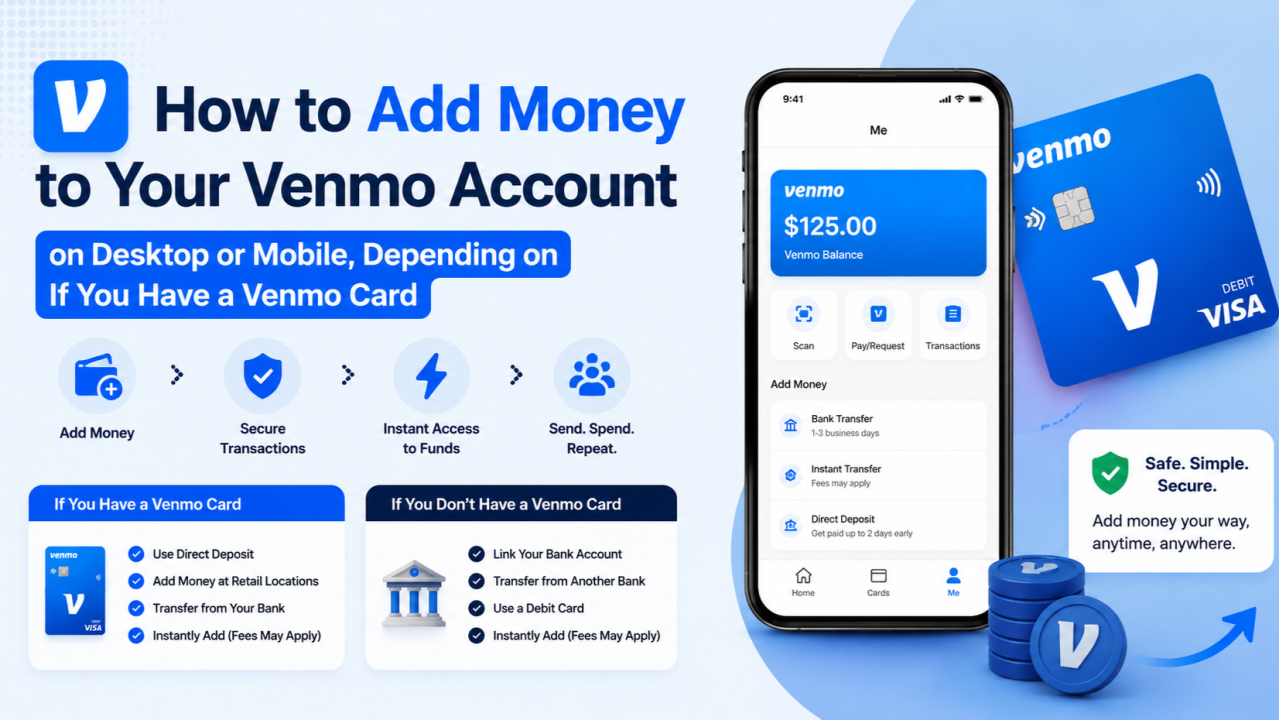
If you’ve recently gotten your Venmo debit card and you’re wondering how to keep it topped up without paying extra fees, you’re in the right place. Loading money onto your Venmo card is something most people figure out by trial and error — and sometimes that error comes with an unexpected charge. This guide tells exactly where to go, what to do, and how to avoid unnecessary fees.
Where Can I Load My Venmo Card for Free? (Complete Guide)
First, Let Me Clarify How the Venmo Card Works
Before jumping into the locations, it’s worth understanding what the Venmo card actually is. The Venmo Debit Card is a Mastercard-branded card linked directly to your Venmo balance. When you make a purchase, it draws from whatever balance you have in your Venmo account. If your balance runs out, it can pull from your linked bank account as a backup — but only if you’ve set that up.
So when people talk about “loading” the Venmo card, what they really mean is adding money to their Venmo balance. You’re not loading the card directly like a prepaid card — you’re funding the account it’s tied to.
This distinction matters because it opens up more options than people realize.
Ways to Load Your Venmo Card for Free
- Direct Deposit (The Best Free Option)
This is hands down the most convenient and completely free way to keep your Venmo balance funded. You can set up direct deposit straight into your Venmo account, just like you would with a traditional bank.
To do this, go into your Venmo app, tap on the “Me” tab, then head to “Manage Balance” and look for the direct deposit option. Venmo will give you a routing number and account number that you can give to your employer or use on tax forms, government benefit portals, and more.
Once direct deposit hits, the money is in your Venmo balance instantly — no transfer fees, no waiting, no hidden costs. If you get paid this way, your Venmo card is essentially always loaded without you having to think about it.
- Transferring Money From Your Linked Bank Account
Another straightforward and free method is transferring funds from your linked bank account into your Venmo balance. Inside the app, go to “Manage Balance” and select “Add Money.” From there, you can pull funds from your connected bank account.
The standard transfer is free and typically takes one to three business days. It’s not instant, but if you plan ahead, it costs you absolutely nothing. Just make sure your bank account is properly verified and linked in the app before you try this.
- Receiving Payments From Other Venmo Users
This one’s simple — when someone pays you on Venmo, that money goes straight into your Venmo balance. Whether it’s a friend splitting a dinner bill, a family member sending you money, or a client paying you for a service, any incoming Venmo payment adds to your balance at no cost to you.
This is probably the most organic way people fund their Venmo cards without realizing it. If you use Venmo socially, your balance is probably always getting little deposits here and there.
- Cash Back Rewards From the Venmo Credit Card
If you also have the Venmo Credit Card (separate from the debit card), your cash back rewards are automatically deposited into your Venmo balance. Depending on what you buy, you can earn 3% back on your top spending category, 2% on the second, and 1% on everything else.
This won’t make you rich, but over time those rewards add up and passively fund your Venmo balance. It’s essentially free money being added to your account regularly.
Physical Locations Where You Can Load the Venmo Card
Now here’s where things get a little more confusing. If you want to add cash to your Venmo balance in person — like actual paper money — you’ll need to use the cash reload network. Venmo partners with the Green Dot network and other reload services, which means you can walk into certain stores and add cash.
However, it’s important to be upfront with you: most in-store cash reload locations charge a fee, typically around $3 to $5.95 per transaction. That said, knowing which stores support it — and occasionally finding promotional fee waivers — is still useful.
Here are the most common retail locations:
- Walmart
Walmart is one of the most widely available places to reload cash onto your Venmo balance. You can visit the Money Center or customer service desk and use the cash reload option there. The fee is usually around $3 to $3.74 per load, but Walmart’s low service fees make it one of the cheaper in-store options. If you’re already making a Walmart run, it’s convenient to knock this out at the same time.
- Walgreens
Walgreens locations across the country support cash reloads through the Green Dot network. You can walk up to the register, tell the cashier you want to reload a Venmo card, and they’ll process it for you. Fees here tend to be around $3 to $5.95 depending on the location.
- CVS
CVS pharmacies also support the reload network. The process is similar — go to the register, present cash, and it gets added to your Venmo balance. Again, fees apply, so this isn’t technically “free,” but it’s convenient if you’re already at CVS picking up a prescription or some household items.
- Rite Aid
Similar to CVS and Walgreens, Rite Aid locations can process cash reloads through supported reload networks. Check the Venmo app or the Green Dot locator to confirm your specific location supports it before making the trip.
- Dollar General
Dollar General locations in many areas support cash reloads as well. With thousands of locations scattered across the country, including many rural areas, this can be a lifesaver if you don’t live near a big-box retailer.
- 7-Eleven
Certain 7-Eleven stores participate in the reload network too. If you’re grabbing a coffee or a snack, it might be worth asking at the counter if they support Venmo balance reloads.
- Family Dollar
Family Dollar is another option in the reload ecosystem. Much like Dollar General, it’s particularly useful for people in smaller towns or suburban areas where other options might not be as accessible.
How to Find Free or Low-Fee Reload Locations Near You
Instead of guessing, you can use the Venmo app itself to find nearby reload locations. Here’s how:
- Open the Venmo app
- Tap the three horizontal lines or your profile icon
- Go to “Manage Balance”
- Tap “Add Money” then look for the cash reload or “Find a location” feature
- Allow location access and browse nearby stores
You can also visit the Green Dot website directly and use their store locator tool. Just enter your zip code and it will pull up a list of participating retailers close to you.
What to Watch Out For
Even when you’re trying to load your Venmo card for free, there are a few traps people fall into:
Instant transfer fees: When moving money from your bank to your Venmo balance, there’s an option for an instant transfer. That one comes with a fee — usually around 1.75% with a minimum of $0.25 and a maximum of $25. Stick to the standard (free) transfer unless you’re in a pinch.
Using a credit card to add money: If you try to fund your Venmo balance using a credit card, Venmo treats that as a cash advance rather than a regular payment. Your credit card company could charge you a cash advance fee plus a higher interest rate. Avoid this route unless you have no other choice.
Third-party reload kiosks: Some standalone kiosks in gas stations or smaller convenience stores advertise Venmo reloads, but they often charge significantly higher fees than retail chains. Always check the fee before handing over your cash.
Reload limits: Venmo has daily and weekly limits on how much you can load. Make sure you’re aware of these so you don’t hit a wall when you need funds quickly. At the time of writing, Venmo limits cash reloads to $500 per day and $4,000 per month, but check the app for the most current figures as these can change.
Frequently Asked Questions
Can I load my Venmo card at an ATM for free?
No. ATMs are used for withdrawing money from your Venmo balance, not adding to it. You can pull cash out at ATMs using your Venmo debit card, but that may come with fees depending on the ATM network. Loading works differently — it happens through the app or at retail cash reload locations.
Is there a truly free way to add cash (physical money) to my Venmo balance?
Honestly, cash reload at retail locations almost always comes with a fee. The free options — direct deposit, bank transfers, and receiving payments — are all electronic. If you’re trying to convert paper bills into Venmo balance without paying anything, that’s tough to do. The closest workaround some people use is depositing their cash at their bank first, then doing a free standard transfer from that bank account to Venmo.
How long does a free bank transfer to Venmo take?
Standard transfers from a linked bank account to your Venmo balance typically take one to three business days. If you need it faster, Venmo offers an instant option for a fee of around 1.75%.
What is the maximum amount I can load at once?
This depends on your account’s verification status. Verified accounts generally have higher limits. For cash reloads specifically, the daily limit is often around $500. Check the Venmo app under your account settings for your personal limits.
Can I load my Venmo card at a bank?
Not directly, no. Venmo isn’t a traditional bank, so you can’t walk into a branch and make a deposit the same way you would with a checking account. The workaround is to deposit cash at your bank and then transfer it electronically to your Venmo balance, which is free.
Does Venmo charge a fee to receive money?
Receiving personal payments from friends and family is free. However, if you receive payments tagged as “goods and services” — for example, if someone’s paying you for work — Venmo charges the seller a fee of 1.9% plus $0.10. This is aimed at business transactions, not personal ones.
Can I load my Venmo card at a post office or credit union?
Currently, the Venmo cash reload network does not typically include post offices or credit unions. Your best bets remain the major retail chains listed earlier in this guide.
What happens if I try to add more money than my limit allows?
The transaction will simply be declined or partially processed. Venmo will usually send you a notification explaining why. You’ll need to wait until your limit resets before trying again.
Is it safe to reload my Venmo balance at retail stores?
Yes, as long as you’re using legitimate participating retailers and not handing your card or personal info to anyone other than the cashier. Always keep your receipt after a reload transaction and verify that the balance shows up in your Venmo app within a reasonable time.
Do all Walmart or Walgreens locations support Venmo reloads?
Not necessarily. Participation can vary by individual location, and some stores may have different systems or limitations. It’s always a good idea to call ahead or use the locator in the Venmo app to confirm before making the trip.
Final Thoughts
Loading your Venmo card for free is completely doable — you just need to lean on the right methods. Direct deposit is the gold standard if your lifestyle supports it. Free bank transfers are the next best thing for most people. And receiving payments from friends and family through Venmo is a natural, passive way to keep your balance healthy.
In-store cash reloads are convenient when you need to convert physical cash into a digital balance, but they almost always come with a small fee. If avoiding fees entirely is the goal, the trick is to deposit that cash at your bank first and then transfer it to Venmo for free.
The Venmo card has become a genuinely useful tool for everyday spending, especially for people who live a lot of their financial life through the app already. Understanding how to keep it funded without bleeding money on fees makes it even more practical.
Hopefully this guide answered every question you had — and a few you hadn’t thought to ask yet. If your situation changes or Venmo updates its policies, always check the app directly for the most current information on fees and reload locations.
Read More
- How to Fix Issues Venmo Login Online, Sign In Issues, and Access Your Account
- Complete Step-by-Step Guide: How to Get Cash Out of Venmo Fast and Fee-Free!
- How to Add Money to Your Venmo Account on Desktop or Mobile, Depending on If You Have a Venmo Card
- Can You Send $5000 Through Venmo? [User-Help-Solution]
- How To Instant Transfer Money From Venmo To Bank Account
- How Much Can You Send Thru Venmo? Complete Guide to Venmo Sending, Transfer, and Payment Limits
- How to Explained Venmo Transfer Limit Daily, Weekly, and Monthly Limits Step-by-Step Guide
- Complete Coinbase Account Recovery and Customer Support Guide