A photo of a good moment can be ruined by a messy room. A great idea for a mascot can stall because you cannot draw. A funny pet concept stays in your head because you have no camera crew.
AI tools now close those gaps. You can fix a scene, invent a cast, and make short clips without a studio. That is a real win for creators, small shops, and anyone who enjoys making things.
But fast tools do not mean easy wins. Bad inputs give bad results. And edits that involve real people need extra care. This guide shows what works, what to avoid, and how to get results that look natural.
Why These Tools Are Worth Learning
Attention is short. A clean image or a funny clip gets noticed. A cluttered or flat one does not.
These tools also save money. Product sellers can show items on neutral backdrops without a photographer. Streamers can build a mascot without a design contract. Casual users can make shareable content in minutes.
The catch is quality. Many AI edits look obviously fake. The difference between a sloppy result and a good one is usually a few simple habits, and most of them have nothing to do with technology.
Fix a Messy Scene With a Background Swap
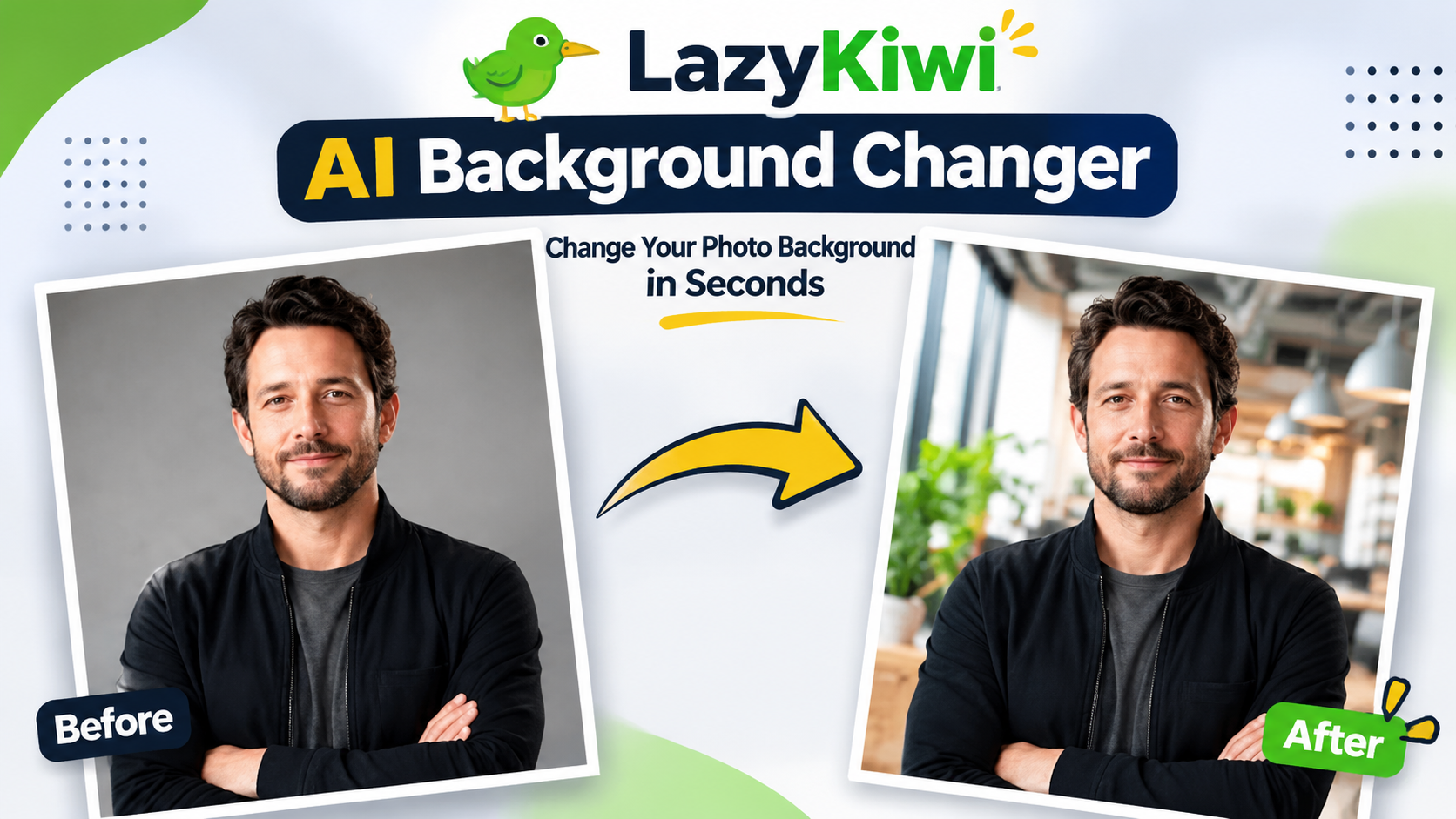
Backgrounds shape how people read a photo. A distracting one pulls the eye away from the subject. An ai background changer lets you replace it with a clean colour, a studio look or an entirely new setting.
Start with a sharp photo. Blurry edges and hair strands are hard to separate from a busy backdrop. Good light on the subject also helps the tool find clean outlines.
Choose a new background that makes sense. A product on a kitchen counter fits a kitchen scene. A portrait works with soft, simple colours. Wild, busy scenes steal attention from your subject.
Build Original Characters With Personality
A strong character gives a brand, channel, or story a face. An ai character generator helps you design one without drawing skills. Use it for mascots, game heroes, story leads, or avatars for your content.
Decide the basics before you generate anything. Who is this character? What do they do? What mood do they carry? A cheerful baker looks different from a grumpy wizard. Write that down in two or three lines.
Then describe key traits: hair, clothes, colours, age, and expression. Keep notes so you can recreate the same look later. Consistency is what turns an image into a recognisable character.
Make Short Pet-Style Videos
Cats rule the internet for a reason. Their clips are short, funny, and easy to share. An ai cat video generator helps you make that kind of content without filming a real animal.
Keep your idea simple. One cat, one action, one setting. A cat sipping coffee in a tiny cafe works better than a cat doing ten things at once.
Aim for a clip people can understand in three seconds. Add a short caption or a sound to give it a hook. Short loops often perform best on social feeds.
Try Outfit and Body Concepts Responsibly
Some people use an ai body swap for costume tests, fashion ideas, fitness mock-ups, or harmless fun with friends. Used well, it is a creative playground. Used badly, it can hurt people.
The rule is simple: use your own photos, or get clear permission first. Never edit another person’s image to embarrass, mislead, or impersonate them. Keep results clean and non-deceptive. If you share an edited image, say it is edited.
When in doubt, do not post it.
Gap Coverage: What Most Guides Skip
Match the light
The biggest giveaway of a fake edit is light that does not match. If your subject is lit from the left, the new background should be too. Warm light on the person and cold light in the scene looks wrong right away.
Check the edges
Zoom in on hair, fingers, and clothing. Look for halos, jagged lines, or leftover colour from the old backdrop. Fix them or pick a different photo.
Add a shadow
People and objects cast shadows. If your subject floats with no shadow, the eye notices. A soft shadow under the feet or product makes the image feel grounded.
Keep characters consistent
Save your best character prompt and image. Reuse the same wording and details each time. Small changes in a prompt can create a different face, and you lose your brand.
Respect consent and honesty
Ask before you edit anyone else’s image. Do not use edits to deceive viewers. If a picture could be mistaken for real, such as a news-style or testimonial image, add a clear label.
Know the usage rules
Check the terms for each tool before using results in ads, products, or paid work. Keep a record of what you made, when, and with which settings.
A Simple Workflow to Follow
- Decide your goal: product shot, profile image, mascot, or short clip.
- Pick the right base photo or write a short brief.
- Generate a few options, not just one.
- Choose the best and fix small flaws.
- Check light, edges, and shadows.
- Test on a phone screen.
- Add a caption or label where needed.
- Export in the right size.
Quick Tips You Can Use Today
- Start with the best photo you can get.
- Use even, soft light when you shoot.
- Pick backgrounds that support the subject.
- Write a short bio for every character.
- Keep clip ideas to one action.
- Compare three results before choosing.
- Keep originals so you can start over.
- Label AI-edited content when it matters.
Conclusion
Creative AI tools reward clear thinking. Choose a sharp starting image, give simple direction, and check the details. Respect other people’s faces and rights. Be open about what is edited.
Pick one small project this week. Clean up a photo, sketch a character, or plan a ten-second clip. Learn what looks natural, then build from there.
FAQs
What makes an edited background look fake?
Mismatched lighting, rough edges, and missing shadows. Fix those three and most edits look far more natural.
What kind of photo works best for a background swap?
A sharp, well-lit photo with a clear subject. Plain backdrops make separation easier.
How do I keep an AI character looking the same?
Save the exact description and your best image. Reuse the wording and change only one detail at a time.
How long should a short pet video be?
Five to fifteen seconds is a good range. Keep one clear action and a simple setting.
Is it okay to edit someone else’s photo?
Only with their permission. Never use edits to mislead, mock, or impersonate anyone.
Can I use AI-made images for business?
Often yes, but rules differ by tool. Read the usage terms before running ads or selling products.
Should I label edited images?
Yes, when viewers could mistake them for real, such as in ads, reviews, or news-style posts.