A slow computer is annoying. A failing computer can stop your work, damage files, and cost you more if you wait too long.
Many users ignore early warning signs because the system still turns on. The problem starts small, then one day the laptop or desktop refuses to start, shuts down during work, or loses important data.
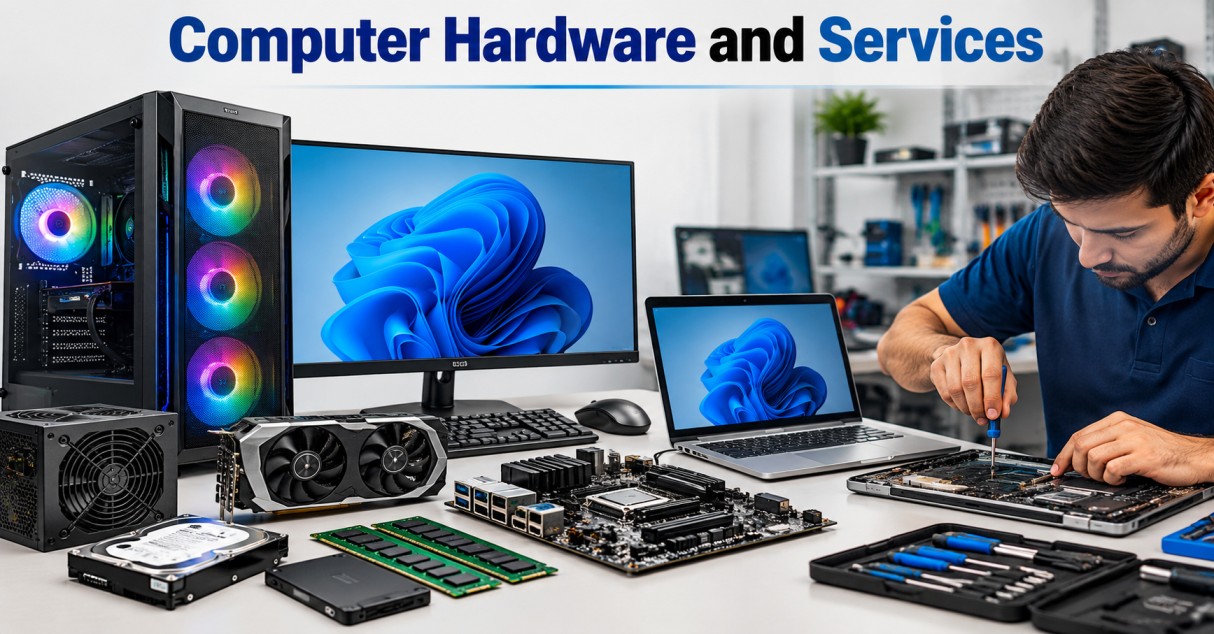
Emergency Computer Hardware and Services become necessary when the issue affects your work, data, safety, or device performance. Classic Network and Computers handles such hardware-related issues for users who need fast diagnosis and repair support.
Here are 5 warning signs you should take seriously.
1. Computer Hardware and Services are needed when your system shuts down suddenly
A computer that shuts down without warning needs urgent checking. This can happen while you are working, browsing, attending an online meeting, or saving a file.
Sudden shutdowns may point to:
- Power supply failure
- Overheating
- Battery issues
- Motherboard fault
- Loose internal connection
- Damaged charging port
- Faulty RAM
If your system shuts down once, restart it and observe. If it happens again, stop using it for heavy work. Repeated shutdowns can damage the operating system, corrupt files, and affect internal parts.
Desktop users should also check the power cable, UPS, and wall socket. Laptop users should check whether the charger is heating too much or disconnecting on small movement.
A shutdown problem should not be treated as a normal software issue. When power flow becomes unstable, hardware testing is needed.
2. You need Computer Hardware and Services when the device overheats fast
A laptop or desktop can get warm during long use. Heat becomes a problem when the system gets too hot within a few minutes or shuts down because of temperature.
Common signs of overheating include:
- Fan running at full speed all the time
- Hot keyboard or bottom panel
- Burning smell
- Slow performance after 10 to 15 minutes
- Screen freeze during work
- Automatic shutdown
- Loud fan noise
Dust is one common reason. Blocked air vents stop proper cooling. Old thermal paste can also cause heating. In desktops, poor cabinet airflow or a weak cooling fan may create the same issue.
Overheating can damage the processor, motherboard, graphics chip, hard drive, and battery. It can also reduce the life of your device.
Do not place a heating laptop on a bed, pillow, or blanket. Keep it on a flat surface and avoid gaming, editing, or heavy software until the problem is checked.
Urgent Computer Hardware and Services can clean the cooling system, test the fan, check thermal paste, and inspect heat-related damage.
3. Computer Hardware and Services are urgent when you hear clicking, grinding, or buzzing sounds
Strange sounds from a computer should never be ignored. A healthy system may make a soft fan sound, but clicking, grinding, buzzing, or scratching sounds can point to hardware failure.
Clicking sounds often come from a hard disk drive. This can mean the drive is failing. If your system has important files, stop using it for unnecessary tasks and back up your data if possible.
Grinding sounds may come from a damaged fan. A faulty fan can stop cooling and cause overheating.
Buzzing can come from power supply issues, coil noise, or loose internal parts. In desktops, it may also come from cabinet vibration or a failing SMPS.
Warning sounds may seem small in the beginning. They often get worse with time.
Take these signs seriously:
- Clicking sound while opening files
- Repeated disk error messages
- Fan sound that changes suddenly
- Scratching noise during startup
- Buzzing near the power area
- System freezing when the sound appears
If the sound comes from the hard drive, data loss can happen without much warning. Emergency diagnosis can confirm whether the drive, fan, or power part needs repair or replacement.
4. You need Computer Hardware and Services when files open slowly or disappear
Slow file access is more serious than normal system lag. If folders take too long to open, files become unreadable, or saved documents disappear, your storage device may be failing.
Hard disk and SSD problems can show these signs:
- Files take too long to open
- System freezes while copying data
- Blue screen appears
- Disk usage stays at 100%
- Files become corrupted
- Computer asks to format the drive
- Operating system fails to load
- Strange errors appear while saving work
Many users try to fix this by restarting the device again and again. This can make the problem worse if the storage drive is physically damaged.
Data should come first. If you hear clicking sounds, see disk errors, or cannot access files, avoid installing new software or running random repair tools. Some tools can overwrite data and reduce recovery chances.
Urgent Computer Hardware and Services can check the health of the storage device, copy data safely where possible, and replace the faulty drive before the damage spreads.
5. Computer Hardware and Services are needed when the computer does not start properly
Startup failure is one of the clearest signs of hardware trouble. Your computer may show lights, but the screen stays black. It may restart again and again. It may stop at the logo screen. It may show beeps or error codes.
Common startup-related hardware issues include:
- Faulty RAM
- Dead motherboard
- Damaged hard drive or SSD
- Power supply failure
- Faulty display cable
- Battery or adapter issue
- BIOS problem
- Graphics chip failure
A black screen does not always mean the display is dead. The issue may be with RAM, graphics, motherboard, or power.
Beep sounds during startup can also tell a technician where the fault may be. For example, repeated beeps may point to RAM or motherboard issues, depending on the system model.
If your computer starts only after many attempts, that is also a warning sign. A system that works “sometimes” may fail fully at the wrong time.
Emergency Computer Hardware and Services can test the startup path, check power flow, inspect RAM, test storage, and find the faulty part.
Other signs you should not ignore
Some problems look small but can point to deeper hardware trouble.
Watch for these signs:
- USB ports stop working
- Keyboard keys fail often
- Touchpad stops responding
- Screen flickers
- Charger connects and disconnects
- Battery drains too fast
- Wi-Fi keeps disappearing
- Computer freezes during normal tasks
- Burning smell comes from the device
- Date and time reset again and again
A single issue may be simple. Repeated issues need proper checking.
Why waiting can increase repair cost
Hardware problems rarely fix themselves. A noisy fan can lead to overheating. Overheating can damage the motherboard. A weak power supply can affect other components. A failing hard drive can cause permanent data loss.
Early repair is usually cheaper than emergency replacement. It also reduces downtime.
For office users, hardware failure can stop billing, reporting, designing, printing, accounting, or customer support work. For students, it can affect assignments, online classes, and exam preparation. For home users, it can mean lost photos, documents, and personal files.
A quick check can save time, data, and money.
What to do before calling for emergency Computer Hardware and Services
Take a few safe steps before repair:
- Save your current work if the system is still running.
- Back up important files to an external drive or cloud storage.
- Shut down the system if you smell burning or hear clicking sounds.
- Remove the charger if the laptop or adapter is overheating.
- Do not open the device if you are unsure.
- Do not keep restarting a system that fails to boot.
- Note the error message, beep sound, or shutdown pattern.
These details can make diagnosis faster.
When the issue is urgent
Call for emergency Computer Hardware and Services when:
- You cannot start the computer
- Your system shuts down repeatedly
- The laptop or desktop overheats fast
- Files are missing or corrupted
- You hear clicking or grinding sounds
- There is a burning smell
- The device is needed for urgent work
- Important data is stored on the system
A technician can test the hardware and tell you whether repair, cleaning, upgrade, or replacement is needed.