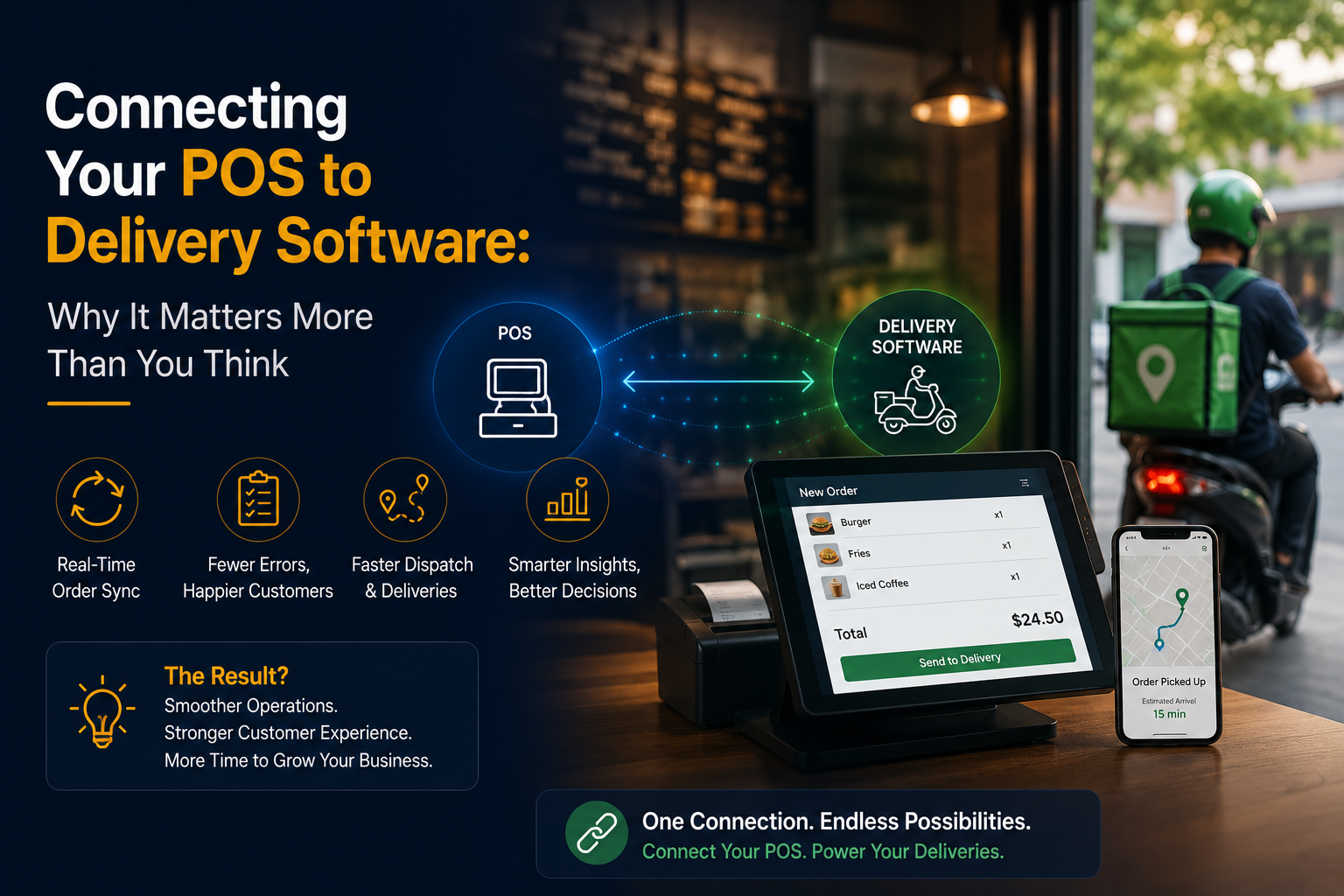
For many companies, the point of sale (POS) and delivery operations exist in two completely separate universes. The POS handles the ordering process and payments, while delivery operations figure out how to get the product to the customer. It’s an acceptable way to operate when the business is small, but as it grows, this fragmented approach can lead to delays, duplicated work, and frustrated customers.
By connecting the POS to delivery software, companies can eliminate a lot of this duplicated work and give themselves a much-needed productivity boost.
A delivery tracking app can help businesses manage their drivers, organize their deliveries, and keep customers informed.
For small businesses, that can have surprisingly powerful implications.
What Happens When Your POS and Delivery Software Don’t Communicate?
Let’s imagine a scenario where a customer places an order with your company. Your team has to copy the order details, find an available driver, send the driver the information, and update the customer.
It’s not a huge problem if this happens once in a while,
but what happens when you get 20 orders in the next hour?
Manual processes lead to mistakes. A driver could show up at the wrong address. An order could get sent to the same driver twice. Your dispatcher could forget to update a customer about their delivery status.
This affects the customer experience.
By connecting your POS and delivery software, you can eliminate many of these manual processes and reduce the opportunities for error.
Orders Can Flow Automatically From Checkout to Delivery
One of the major benefits of connecting your POS and delivery software is the ability to automate the process of sending orders from one system to the other.
Once a customer has placed an order through the POS, the delivery management software can automatically receive the information, instead of an employee having to manually input the order. The delivery tracking software can provide the delivery team with details such as:
- Customer name and contact information
- Delivery address
- Order number
- Contents of the order
- Special delivery instructions
- Payment method
- Preferred delivery window
This can save a significant amount of time, especially for larger businesses. Even a couple of minutes saved per order can add up to hours saved per week.
A Delivery Tracking App Keeps Everyone on the Same Page
Once an order has been sent to the delivery team, it’s crucial for them to have access to the information about that order.
A delivery tracking app can give drivers and managers a birds-eye view of the company’s deliveries, allowing them to see what’s been sent out, what’s in-transit, and what’s been delivered.
Some delivery tracking apps can even notify customers about the status of their delivery.
Instead of asking “Has my order left yet?”, customers can receive automated notifications about when their order has been:
- Confirmed
- Prepared
- Assigned to a driver
- Out for delivery
- Near their location
- Delivered
Why This Matters for Small Businesses
Big companies can afford to have dedicated logistics teams, but small businesses have to operate with fewer resources. That’s why a delivery tracking app for small business operations can be particularly valuable.
When you’re running a restaurant, retail store, grocery business, pharmacy, or other type of small business, you may not have the luxury of having someone on staff to manually input and track each delivery.
By using a delivery tracking app to automate some of these processes, you can save time and help your business scale.
The goal isn’t to replace your employees, but to help them be more productive.
Reduce Mistakes Before They Become Customer Complaints
Mistakes are expensive.
Wrong addresses, missing items, duplicated orders, and delayed deliveries can all lead to unhappy customers and angry refunds.
When your POS and delivery platform communicate directly, the information doesn’t have to be manually re-keyed in by an employee. Instead, the original information from the POS can flow directly into the delivery software, cutting down on the room for error.
This is especially important for small businesses that are busy and operating at a fast pace.
Smarter Dispatch and Route Planning
Connecting your POS and delivery software can also help you dispatch and route deliveries more efficiently.
A delivery platform can use the information from an order to help dispatchers make smarter decisions about which drivers to assign to which deliveries.
A delivery tracking app can also give drivers the information they need to complete their deliveries.
By using route optimization features, drivers can potentially complete multiple deliveries in one trip, instead of driving all over town to complete one or two orders.
This can save time and resources, while also improving the customer experience.
Customers Get a Better Experience
Customers may not know or care if your POS is connected to your delivery software, but they will benefit from the improved experience.
They won’t have to ask “Has my order left yet?” as often, since they can receive automated notifications about their order’s status. Their delivery will be on time, and the drivers will know where to go and when to expect their deliveries.
For businesses that use a delivery tracking app for small business operations, this can also mean fewer customer service calls related to delivery information.
The Data Becomes More Useful
Connecting your POS and delivery software isn’t just about streamlining processes and reducing errors. It can also be about getting more value out of the data itself.
By aggregating the information from both systems, managers can get valuable insights into their operations, such as:
- Average delivery times
- Peak delivery periods
- Driver performance
- Delivery areas
- Failed or delayed deliveries
- Average order to delivery time
This can help managers make smarter decisions about staffing, operations, and pricing.
Instead of asking “Has my order left yet?”, they can analyze this data to understand what’s really happening.
What Should Businesses Look for in an Integration?
Before connecting their POS and delivery software, businesses should ask themselves whether the solution provides reliable POS integration, automated order syncing, delivery tracking, driver management, route optimization, customer notifications, digital proof of delivery, reporting, and analytics.
Mobile access and scalable pricing is also important, especially for smaller companies. After all, a powerful but inaccessible platform won’t provide much value to a business that doesn’t have the time or resources to use it.
Final Thoughts
Your POS knows what the customer ordered. Your delivery operations know how to get it to them. But until these two systems communicate, you’re stuck with extra work and a less-than-ideal customer experience.
By connecting your POS to delivery software, you can eliminate a lot of the manual processes that slow your business down.
Whether you’re running a restaurant, retail store, grocery business, or another type of delivery-focused company, a delivery tracking app can give you greater visibility into your operations.
For small businesses, a delivery tracking app for small business operations can be particularly valuable, since it can help automate repetitive tasks and save time.